Unlock-r
- 1.8
- Rating
- 1.00M
- Installs
- Free
- Price

 Analysis by App-foxy
I approached Unlock-r as a practical tools app rather than something I would open for entertainment. Its purpose is presented in a very narrow way: helping with access codes. That immediately makes the starting question more important than the download itself: do you regularly need a simple place to handle codes, or are you looking for a complete password manager with a much wider security workflow? In my experience, Unlock-r makes more sense for the first situation.
The app is developed by RoadPass Trading LTD. and is available as a free download for Android users, with optional purchases ranging from $0.99 to $9.99 per item. It is marked for Everyone, which fits the straightforward nature of the tool, but that label should not be confused with a promise that it will replace every security product. I would treat it as a focused utility and judge it by how quickly it helps me move from receiving a code to using it.
That distinction matters because the short store wording, “Unlock-r,” gives very little context about the complete experience. The longer summary, “Secure & Simple Access Codes,” points toward convenience, yet convenience only has value when the handoff between the app and the place I am trying to unlock is smooth. My review therefore centers on that complete journey: starting with an access-code problem, moving through the app, and ending with a successful or unsuccessful attempt to use the code.
You May Also Like

 Blood Strike: 2.5 Anniversary
Blood Strike’s Loadouts Turn Every Drop Into a Tactical Gamble
A close look at Blood Strike’s custom loadouts: how fast access to signature weapons reshapes its battle royale rhythm, rewards preparation, and narrows the gap between fights.

 Pandora - Music & Podcasts
Pandora’s Music Is Easy to Start, but Harder to Recover
Pandora’s strength is its low-effort path from a seed to a station. Its weak spot is how much confidence it asks you to place in connection, setup, and quiet recovery.

 8 Ball Pool
 Is Built on Rivalries, Rematches, and Routine
A close look at the rivalries, rematches, shared routines, and unanswered safety questions that turn a quick pool match into a persistent mobile community.

 Samsung Music
’s Quiet Strength Is Playing What You Already Own
Its reach comes less from spectacle than from dependable access to a personal library. That simplicity is both the app’s strongest retention engine and its ceiling.

 AccuWeather: Weather Radar
AccuWeather Review: A Quick, Clear Forecast for Everyday Decisions
For everyday plans, the best forecast is the one you can understand quickly. AccuWeather makes rain timing, radar, and local conditions easy to act on, with a few trade-offs.

 Hill Climb Racing
Why Hill Climb Racing Still Turns Crashes Into One More Run
A tiny car, a bumpy hill and one more upgrade: Hill Climb Racing keeps resurfacing because its simple chaos makes every near-miss feel personal.
More From Our News Desk



From a code problem to an actual unlock
I start this section with the familiar moment of needing a code while standing at the place it should unlock. I’ll look at how a focused retrieval routine can cut down on searching, and why checking the code’s purpose before using it matters just as much as finding it quickly.
Starting with the everyday problem
A realistic use case is arriving somewhere and realizing that the code you need is buried in a message, note, or conversation. Another is receiving a temporary code and wanting to keep it visible long enough to complete the task without repeatedly switching between screens. In those moments, the best tool is not necessarily the one with the longest feature list. It is the one that reduces hesitation and makes the next action obvious.
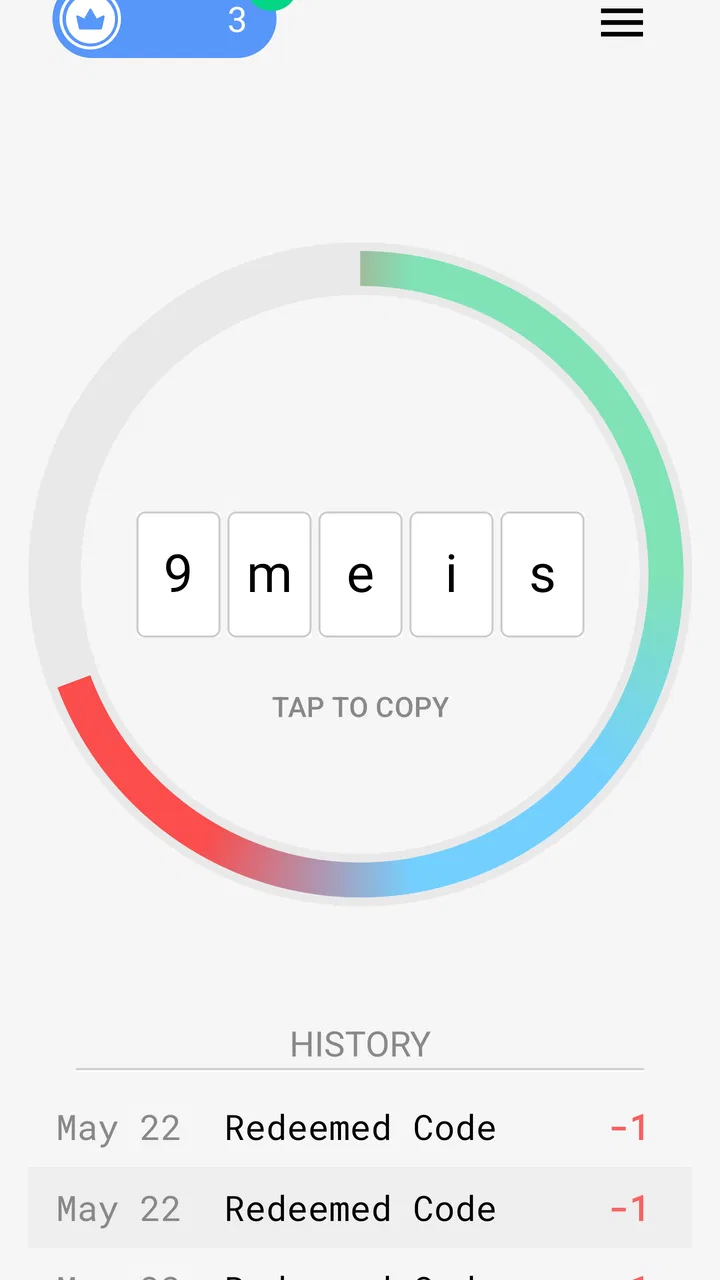
That is where Unlock-r has a reasonable starting point. Its identity is clear enough for someone who wants to deal with access codes rather than organize every kind of personal credential. I found the focused approach easier to understand than a large security suite that places codes beside cards, identities, documents, and account recovery tools. If your need is narrow, a narrow interface can be a genuine advantage.
Before relying on it, I would still decide what kind of code I am handling. A one-time code, a door entry code, a device code, and a permanent account password do not carry the same risk. I would be comfortable testing a utility like this with a low-consequence code first. I would not make it the only place holding the credentials for my main email, banking, or work accounts until I had personally checked how the app behaves during normal use.
The first pass through the workflow
The useful way to evaluate Unlock-r is to begin with a single code and a clear destination. I would open the app, enter or place the code where it can be found quickly, check that every character is correct, and then move to the service or device that needs it. This simple sequence exposes the qualities that matter most: readable presentation, low friction, and confidence that I am using the intended code rather than an old one.
One practical habit is to label codes by purpose instead of relying on memory. “Front gate,” “spare device,” or “temporary booking” is more useful than a vague entry such as “code.” That small distinction becomes important when several codes look similar. It also reduces the chance of handing the wrong information to another person during a rushed handoff.
I would also avoid treating the app as a place to paste every sensitive detail I own. A focused access-code tool is easier to manage when its contents remain focused. Keeping entries limited to the task at hand makes review and cleanup simpler, especially when a temporary code should no longer be used. The strongest workflow is not merely storing information; it is knowing what can be removed after the job is finished.
Handoffs are where convenience is tested
The most important part of this category is rarely the first screen. It is the handoff from Unlock-r to the thing being unlocked. If I am entering a code into a keypad, I need to read it accurately. If I am moving it into another app, I need a dependable way to transfer it without accidentally selecting the wrong text. If another person needs the code, I need to communicate it without losing track of which entry I am discussing.
This is also where expectations should remain realistic. The app can help organize access-code use, but it does not automatically remove the responsibilities of the destination system. A keypad may reject a perfectly valid code because it has expired. A device may require an additional confirmation step. A service may limit attempts. When the handoff fails, the problem may be outside Unlock-r, and the app cannot turn an invalid or expired credential into a working one.
My preferred routine is to verify the destination first, then retrieve the code, then enter it once with care. That sounds slower than repeatedly trying random entries, but it is safer and usually faster overall. For a shared situation, I would say the label and the purpose aloud before passing the code along. This is a small workflow improvement that a short app summary would not tell you, yet it makes a focused code tool much more dependable in real life.
What the result feels like
When the code is correct and the destination accepts it, the value of Unlock-r is easy to understand: it gives me a dedicated place to reach the information without searching through unrelated material. That is a modest result, but modest tools can be useful when they solve one recurring annoyance cleanly. I would especially see the benefit during travel, shared access arrangements, or moments when I need to retrieve a code while moving between several apps.
The app has attracted over a million installs, so the basic idea clearly reaches a substantial audience. At the same time, its average rating is 1.8 from around fourteen thousand ratings, with more than eight hundred written reviews. I would not ignore that contrast. Popularity tells me that many people have tried it; the low average tells me to test the workflow carefully before depending on it for something important.
For me, that combination produces a cautious recommendation rather than an enthusiastic one. I can see why someone might appreciate a simple access-code destination, but I would want the first successful use to happen in a low-risk setting. A tool intended to reduce uncertainty should not become the new source of uncertainty at the exact moment a door, device, or service needs to accept the code.
A realistic handoff scenario
Imagine that I am meeting a friend at a property where entry depends on a code sent earlier in the day. The starting condition is familiar: I remember receiving the message, but I do not remember whether the code was the first or second one sent. Instead of scrolling through a long conversation while standing outside, I open Unlock-r and look for the entry I prepared for that visit.
The next step is checking the label and reading the code carefully. I then enter it into the keypad. If it works, the app has done its job as a retrieval aid. If it fails, I do not immediately assume the app is wrong. I check whether the code was temporary, whether I copied a character incorrectly, and whether the property owner sent a replacement. This distinction is important: the app can organize the handoff, but the destination controls whether the credential remains valid.
If my friend arrives later, I can repeat the same process without describing the entire message history. The handoff becomes a short conversation about purpose and timing rather than a search exercise. However, I would avoid sending a permanent code casually, and I would remove or update temporary information once the visit ends. The convenience is useful only when paired with sensible code hygiene.
Where the flow breaks down
The most obvious weakness is that a focused access-code app may feel too limited for users who expect a complete password manager. If I need secure notes, broad account organization, autofill across services, recovery planning, or a detailed vault structure, I would look at an established password-management alternative instead. Those products are designed for a larger credential workflow, while Unlock-r is easier to understand when the problem is specifically access codes.
The low rating also changes how I would approach installation. I would not assume that the app’s simple concept guarantees a polished experience on every device or in every handoff. I would test entering a harmless code, closing and reopening the app, and retrieving the entry again before storing anything critical. That test is not a criticism of a particular feature; it is a sensible checkpoint when public user sentiment is this poor.
Another friction point is human error. A code can be stored correctly and still be used incorrectly because two entries have similar labels, a character is misread, or the user forgets that a code has an expiration condition. The app cannot replace careful naming. I recommend including the destination and context in each label, while avoiding unnecessary personal details that would make the entry more revealing if someone else saw the screen.
There is also a practical question around optional purchases. The app is free to start, but some items cost between $0.99 and $9.99. I would review each purchase prompt before accepting it and ask whether the added value directly improves my own workflow. Someone who only needs occasional code retrieval may not need to spend anything, while a frequent user should understand exactly what is being unlocked before treating the app as a regular part of daily access routines.
How it compares with familiar alternatives
Compared with keeping codes in a notes app, Unlock-r offers a more purpose-built destination. Notes are flexible, but that flexibility can become clutter, and a code may be mixed with unrelated text. A messaging thread has the opposite problem: it preserves context, but finding the correct message can be slow when several updates have arrived. Unlock-r is more appealing when I want the code separated from the conversation and easy to identify by purpose.
Compared with a full password manager, the trade-off runs the other way. A password manager is usually the better choice for a large collection of account credentials and a long-term security routine. Unlock-r is more suitable when my main concern is access-code handling and I do not want a broad vault interface. The right choice depends on whether simplicity is solving a real problem or merely leaving out tools I will soon need.
Compared with writing a code on paper, a digital tool is easier to update when the code changes and less likely to be left in a pocket or beside a device. Paper can still be appropriate for a temporary, low-risk situation where no digital storage is wanted. I would not choose either method automatically for highly sensitive credentials; I would first consider who might gain access and how quickly the code can be revoked.
Who should try it, and who should skip it
I would suggest trying Unlock-r to someone who repeatedly receives access codes, shares entry information with trusted people, or wants to separate those codes from ordinary notes and messages. It may also suit a person who finds full password managers overwhelming and wants a smaller starting point. The free entry point makes testing less demanding, although the in-app purchase prompts still deserve attention.
I would skip it as my primary security solution if I manage many important accounts, need a mature credential system, or cannot tolerate uncertainty during a time-sensitive handoff. I would also avoid depending on it immediately for access to something essential. The combination of a narrow purpose and a 1.8 average rating means I would verify the complete routine first, not simply assume that a promising concept will work perfectly for my situation.
Version, audience, and my buying advice
The current version is 1.3, and the app was released on March 2, 2025. That places it in an early stage compared with tools that have been refined over many years. I would interpret that as a reason to keep expectations measured and to pay attention to how the app fits my own device and habits rather than judging it solely by its neat premise.
Because it is rated for Everyone, it can be considered by a broad audience, but the responsibility for choosing appropriate codes remains with the user. A family might use it for a shared low-risk entry arrangement, while a professional team handling sensitive credentials should consider whether they need stronger governance and a more comprehensive system. The same simple interface that helps an occasional user could feel underpowered in a demanding workplace.
My buying advice is straightforward: install it only for a clearly defined access-code task, test the full path from entry to successful use, and decide afterward whether the convenience justifies keeping it. Do not purchase an optional item merely because the app is useful in principle. First identify the exact point of friction in your routine and confirm that Unlock-r addresses it.
My final take after following the whole path
Unlock-r has a sensible core idea: give access codes a dedicated place instead of forcing people to hunt through messages, notes, or memory. I appreciate that focus, and I can imagine it helping in a real arrival-at-the-door situation where speed and clarity matter. The best result comes when I prepare a clearly labeled entry, verify the destination, and treat the app as one step in a larger handoff rather than as a guarantee that access will succeed.
Still, I would recommend it with reservations. The low average rating makes testing essential, the narrow scope limits its usefulness beside a full password manager, and optional purchases mean the free label is not the whole decision. My honest view is that it is worth a cautious trial for simple, low-risk access-code workflows, but it is not the app I would choose blindly for critical credentials.
My bottom line: use Unlock-r when a focused code-retrieval workflow is exactly what you need, and choose a more established, comprehensive alternative when security management extends beyond that single task.
FAQs for Unlock-r
01What is Unlock-r and what can I use it for?
Unlock-r is an app designed to help users access and manage supported unlocking-related features from a mobile device. Its exact capabilities may depend on the device, service, region, and account being used. Before downloading, check the official description carefully to confirm that your phone, carrier, or compatible service is supported, since the app may not work with every model or unlocking request.
02Is Unlock-r compatible with Android and iOS devices?
Compatibility can vary depending on the version of Unlock-r available and the device requirements specified by its developer. Review the app store listing for the supported operating systems, minimum software versions, and hardware limitations before installing it. Some functions may also require specific permissions, an internet connection, or a compatible device and service, even when the app itself installs successfully.
03Is Unlock-r free to download and use?
The download price and available features should be confirmed on the official Google Play Store or Apple App Store listing, because pricing can change over time and may differ by country. Unlock-r may offer free access to basic tools while charging for certain services, requests, or advanced functions. Carefully review in-app purchase details, subscriptions, and refund conditions before confirming any payment.
04Is Unlock-r safe to install and what permissions might it request?
For safety, download Unlock-r only from an official app store or a verified developer source, and avoid modified APK files or unofficial download pages. During setup, the app may request permissions related to network access, device information, notifications, or account functionality. Grant only permissions that appear necessary, read the privacy policy, and check the developer’s identity and recent user reviews before proceeding.
05What should I do if Unlock-r does not work or my request is unsuccessful?
If Unlock-r fails to complete a task, first make sure the app is updated, your internet connection is stable, and all required information has been entered correctly. Restarting the app or device may also help. If the issue continues, consult the app’s help section or contact official support with the relevant error message. Avoid repeatedly submitting requests or using unofficial workarounds, as these could delay processing or affect your account.
Pros
- Simple interface makes core features easy to find.
- Useful for users who need quick access to account recovery tools.
- Lightweight design should work well on older compatible devices.
- Setup process is generally straightforward for first-time users.
- Can reduce the need to remember multiple access details.
Cons
- Requires careful handling because access-related apps involve sensitive data.
- Compatibility may vary across Android and iOS versions.
- Some features may depend on an active internet connection.
- Limited guidance could confuse users during unusual recovery cases.
- Privacy and permission details should be checked before installation.

Unlock-r
Gallery